Upload receipts. Extract the data. Keep everything organised.
Extractly helps sole traders and small businesses upload receipts, review AI-extracted details, archive the originals, and export organised monthly records when it is time to do the books.
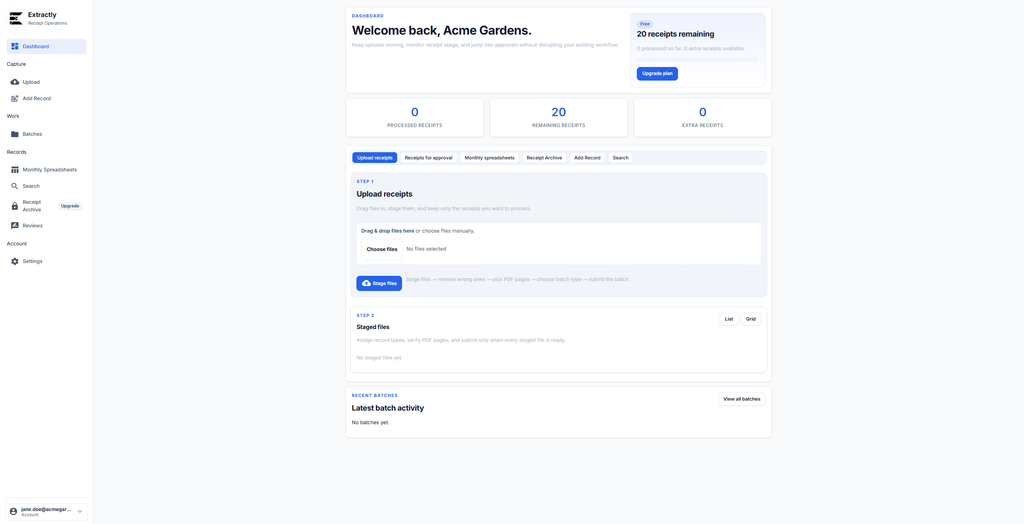
Built for small businesses that need tidy receipt records
Turn messy receipts into organised records
Upload receipts from your computer, check the extracted details, approve the records, and keep everything stored with references, categories, and monthly spreadsheets.


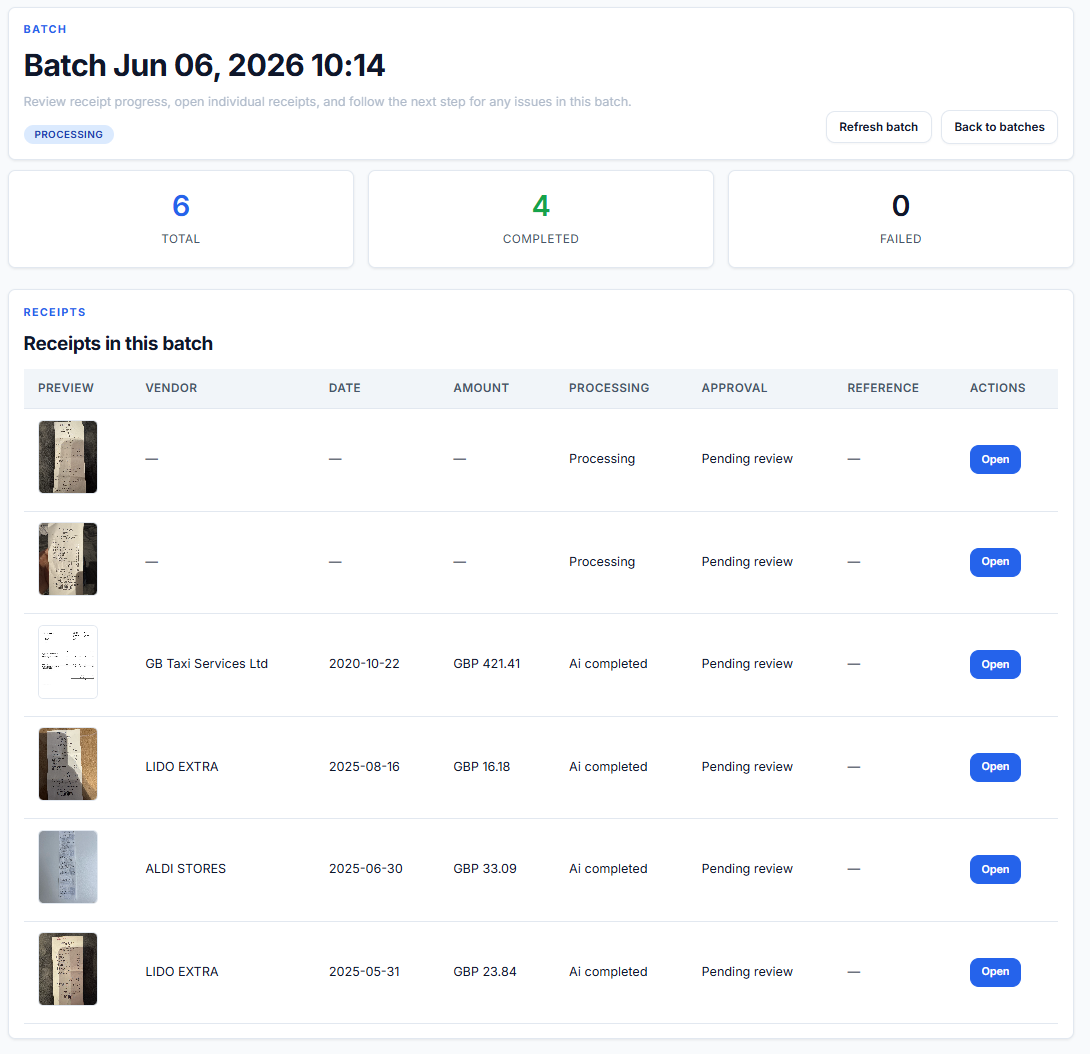
Spend less time sorting receipts manually
Extractly gives you one place to upload, review, approve, and retrieve receipt records. It is designed for small business admin, not enterprise complexity.
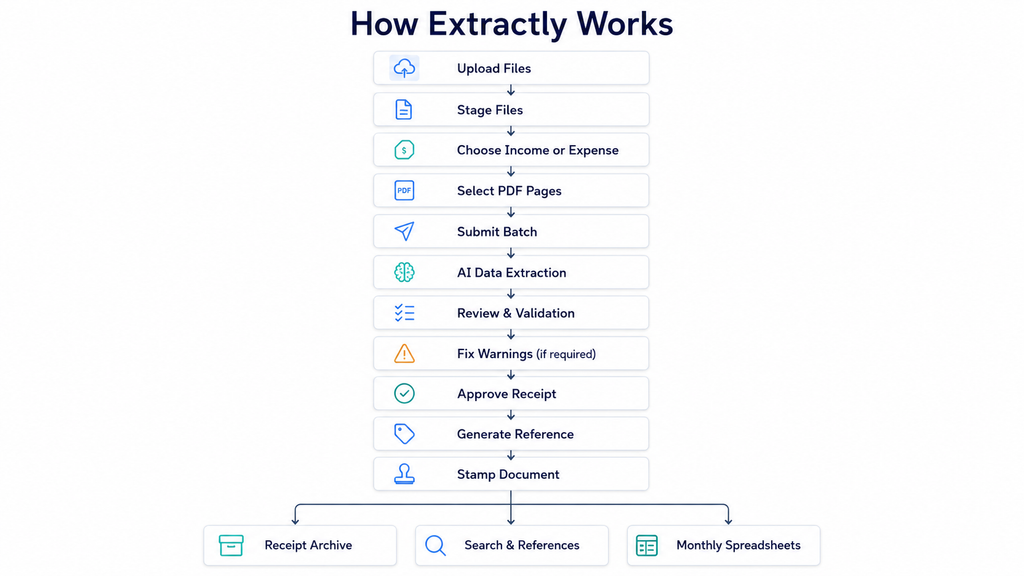
How Extractly works
A simple receipt workflow from upload to archive — with review and approval before records become final.
01

Upload receipts
Add receipt photos, PDFs, or scanned files. Upload one file or prepare a batch of multiple receipts before submitting.
02

Review extracted data
Check the AI-extracted fields, fix anything that needs changing, choose the right category, and approve only when the record is correct.
03

Archive and export
Approved records are stored with references and can be viewed in the archive, searched later, and exported into monthly spreadsheets.
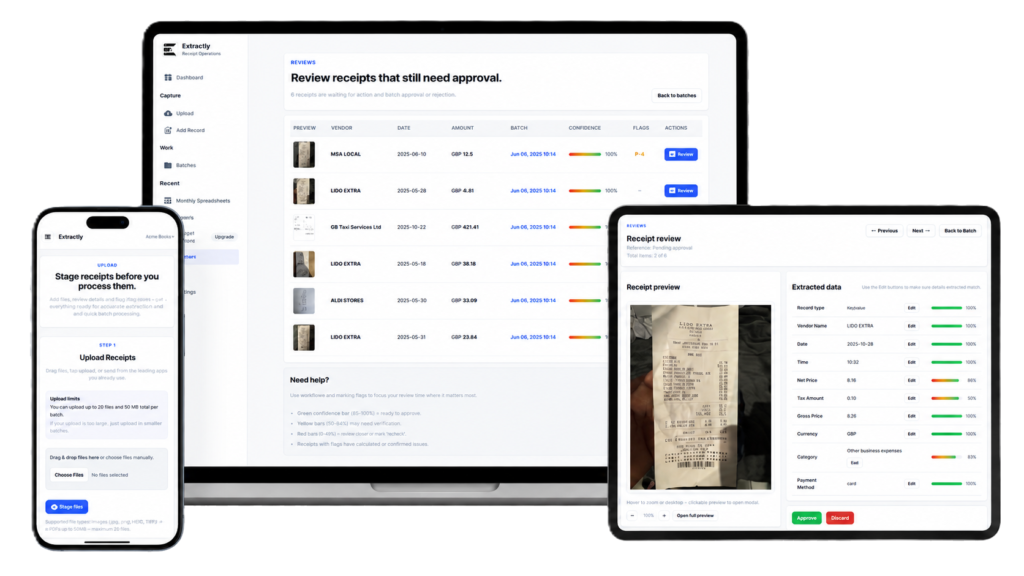
Manage receipts from desktop, tablet, or mobile
Use Extractly in the browser from the device that suits your workflow. Upload from your computer, review records on a larger screen, and keep your archive available whenever you need it.
Key Features
Everything you need to keep receipt records organised, searchable, and ready for bookkeeping.